My Feed · The private school social feed
A feed your families love. A network your school controls.
My Feed gives your community the familiar, scrollable experience they already know — photos, celebrations, reminders, and news — inside a private, branded environment that your staff controls: never on the public web, never in search results, never part of the social-media machine.
Why a feed?
It feels familiar — but it’s built differently
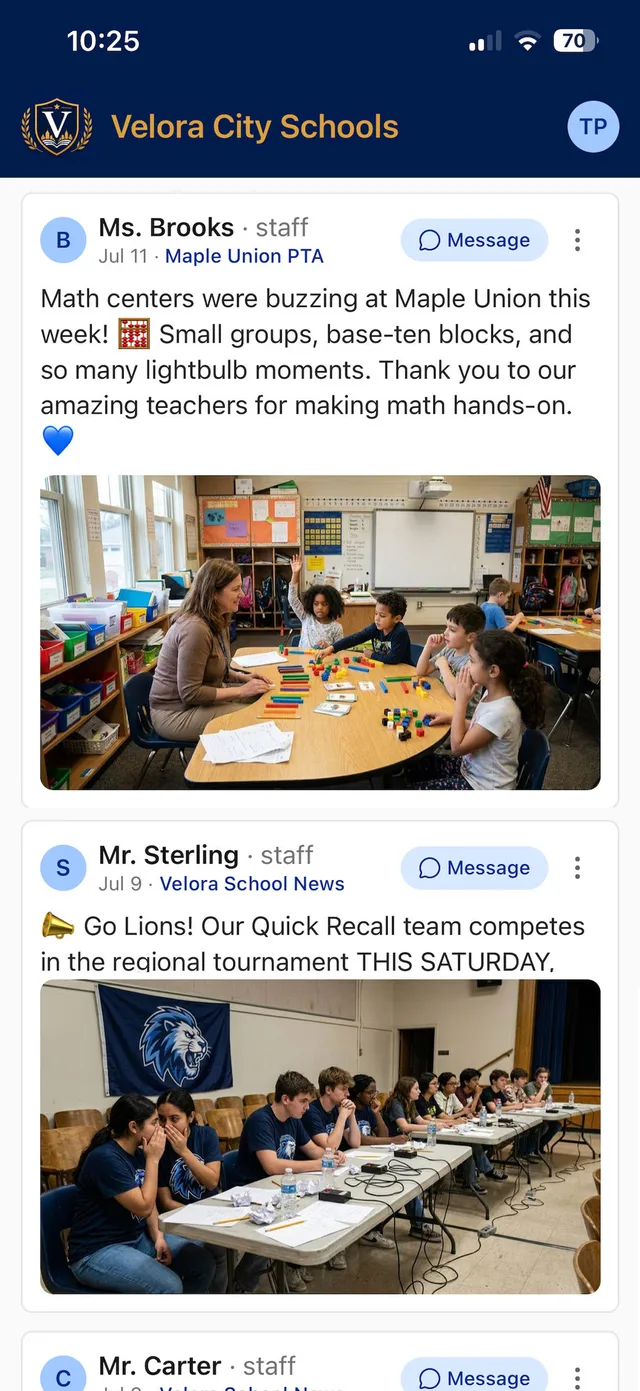
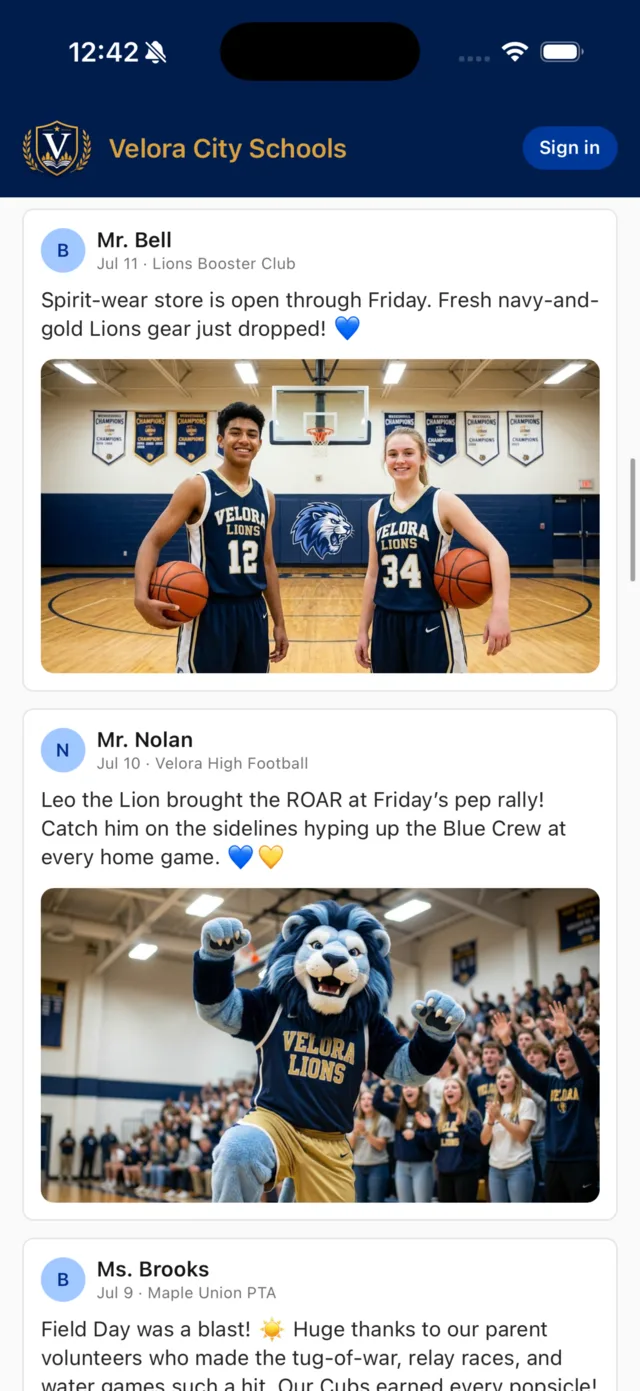
Families are used to quick, visual, bite-sized updates. That habit isn’t going away — so School Courier brought the format to school communication and left the rest of social media behind. No ads. No algorithm. No influencer culture. No public drama. Just your school’s life, shared by your staff, seen by your families.
What your community gets
Private access
Your feed lives inside your school’s app — never on the public web, never indexed, never scraped. You choose the front door: open public groups for community reach, or a fully code-gated app where nothing is visible without your school’s code.
School-controlled membership
Public groups open with one tap; private groups require an 8-digit passcode or a join request a leader approves. Every member is someone your school let in.
Posts worth a thousand newsletters
Staff publish rich posts with photos in seconds — the field-day recap, the championship celebration, the science-fair winners. Families can comment underneath, with parent and student comments held for a leader’s approval.

Writing Help built in
Four polish modes — more detail, clearer & warmer, shorter, grammar — clean up every post before it goes out, then translate it into 10 languages with one tap.

Announcements that land
Posts arrive as push notifications on iOS and Android, even when the app is closed. No inbox to dig through, no algorithm deciding who sees it.
Your brand, your app
Your logo, your colors, your school’s name on the icon. Families open your app — not a vendor’s.
Personalized
Every family follows exactly what matters to them
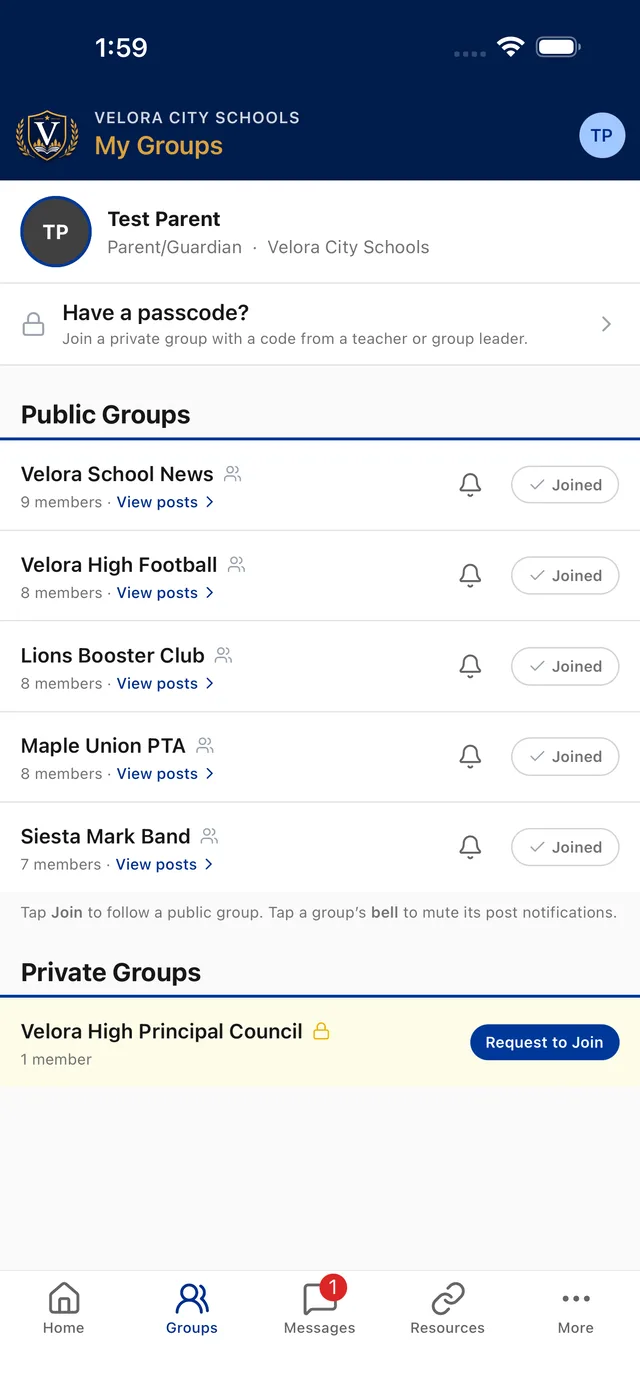
My Feed is organized by groups — classrooms, teams & clubs. A parent follows their children’s worlds; a grandparent follows the varsity schedule; a staff member follows their own building. Everyone’s feed is personal, so nothing important gets buried.
- One-tap subscribe to public groups like “School News”
- Private groups for teams, classrooms, and committees
- Per-group alert controls — mute any group with one tap of the bell
- Multi-school support: families switch schools without re-logging in
Staff-controlled
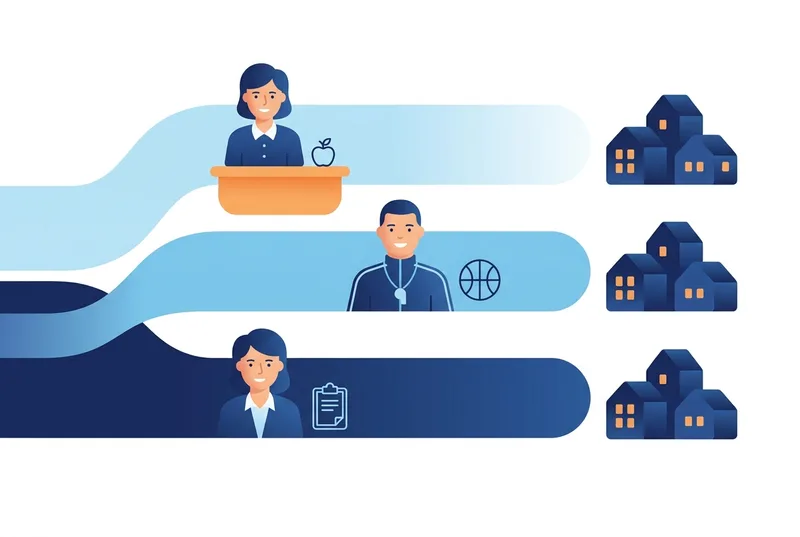
Roles keep the right people in the right lanes
Publishing is a staff privilege, not a free-for-all. Teachers post to their classrooms, coaches to their teams, leaders to their groups, administrators school-wide. Want a classroom parent or a student helping out? Make them a Contributor — what they write waits for a leader’s approval before your community sees it.
- Staff & leaders publish instantly; contributors post with approval
- Parent & student comments held for a leader’s review
- Owners set what each role can do, group by group
- Group leaders approve private-group join requests in-app
- Students & parents can never message one another
- Every message tracked & reviewable by administrators
In the wild
A week on My Feed
Monday
The classroom update
Ms. Brooks posts photos from the science fair to her classroom group — with a Google Form attached for next month’s field-trip permission slips.
Wednesday
The big win
The tennis team clinches the conference title. The coach posts the photo from the courts before the bus leaves the parking lot.
Thursday
The booster drop
The Booster Club announces fresh spirit wear in the store — recognized supporters get the credit, and the school keeps the revenue.
Friday
The reminder that lands
Early dismissal at 1:30. The office posts to School News and every following family gets the push notification — no email digging required.
Safe & compliant by design
Every post and message is retained for administrator review. Membership is school-controlled. There is no tracking-for-profit and no outside content. My Feed gives your community the convenience of a feed — with the safety families expect from their school.
Read our security & privacy overviewQuestions